







The moment a person installs their first smart recessed light — and then steps out the front door — an obvious question follows: Can I still control it from the office, from a hotel, from another country? That question reveals something important about the gap between how smart lighting is marketed and how it actually operates. The short answer is yes, with conditions. The longer answer requires understanding the communication architecture behind remote access, because those conditions are precisely where inexpensive or poorly engineered systems tend to fail.
How Remote Control of Smart Lights Works
A Wi-Fi–connected smart light does not communicate directly with your smartphone when you are away from home. The control path is a cloud relay: a command sent from a companion app on your phone travels over your cellular or local Wi-Fi connection to the manufacturer's cloud server, which then forwards the instruction to your home's router, and from there to the fixture. As one complete technical guide on Wi-Fi lighting explains, this relay uses MQTT (Message Queuing Telemetry Transport) — a lightweight publish/subscribe protocol designed for low-bandwidth IoT communication — with the cloud broker acting as the intermediary that routes instructions between your phone and the device at home.
This architecture has a fundamental implication: remote control depends entirely on three conditions being simultaneously true. Your home's internet connection must be active. The manufacturer's cloud infrastructure must be online and processing requests. And the fixture must remain connected to the home router. If any of these conditions fails, remote access is unavailable until it is restored.
Screwfix's smart lighting guide draws a critical distinction worth internalizing before purchasing: a Bluetooth-only smart light cannot be controlled remotely at all, because Bluetooth requires physical proximity between the controller and the device. Only Wi-Fi–connected fixtures — those that maintain a persistent connection to your home router — support genuine anywhere-in-the-world remote control via a smartphone. This is not a matter of preference; it is a protocol-level constraint. Products that offer both Bluetooth and Wi-Fi connectivity provide a meaningful advantage: local Bluetooth control for direct in-room adjustments without opening an app, and Wi-Fi for full remote access from anywhere.
What Remote Access Actually Enables
Beyond simple on/off toggling, a well-implemented remote control system provides meaningfully different capabilities depending on the sophistication of the fixture and its companion app. Lumary's own technical overview of remote smart lighting identifies four distinct remote-access modes that characterize current Wi-Fi lighting systems: direct app control for real-time adjustments; scheduling and automation for time-based events that run independently of active user intervention; voice assistant integration that allows hands-free command even from a remote location via the assistant's app; and security simulation through randomized or scheduled lighting patterns that produce an occupied appearance for a vacant home.
Each of these modes places different demands on the fixture's software architecture. Direct app control requires a persistent, low-latency cloud session. Scheduling runs autonomously on the device's embedded processor and does not require active user engagement — the schedule executes locally even if the app is not open. Voice assistant commands are routed through the assistant platform's cloud before being forwarded to the home network, introducing a secondary relay that adds latency and a second potential point of failure. Security simulation requires the scheduling system to support variable or randomized patterns rather than fixed on/off times.
The Lumary Smart Recessed Light Pro is engineered to support all of these modes — and the technical decisions behind its implementation are precisely the decisions that separate a reliable remote-control fixture from one that frustrates users within weeks of installation.

Product Recommendation Analysis
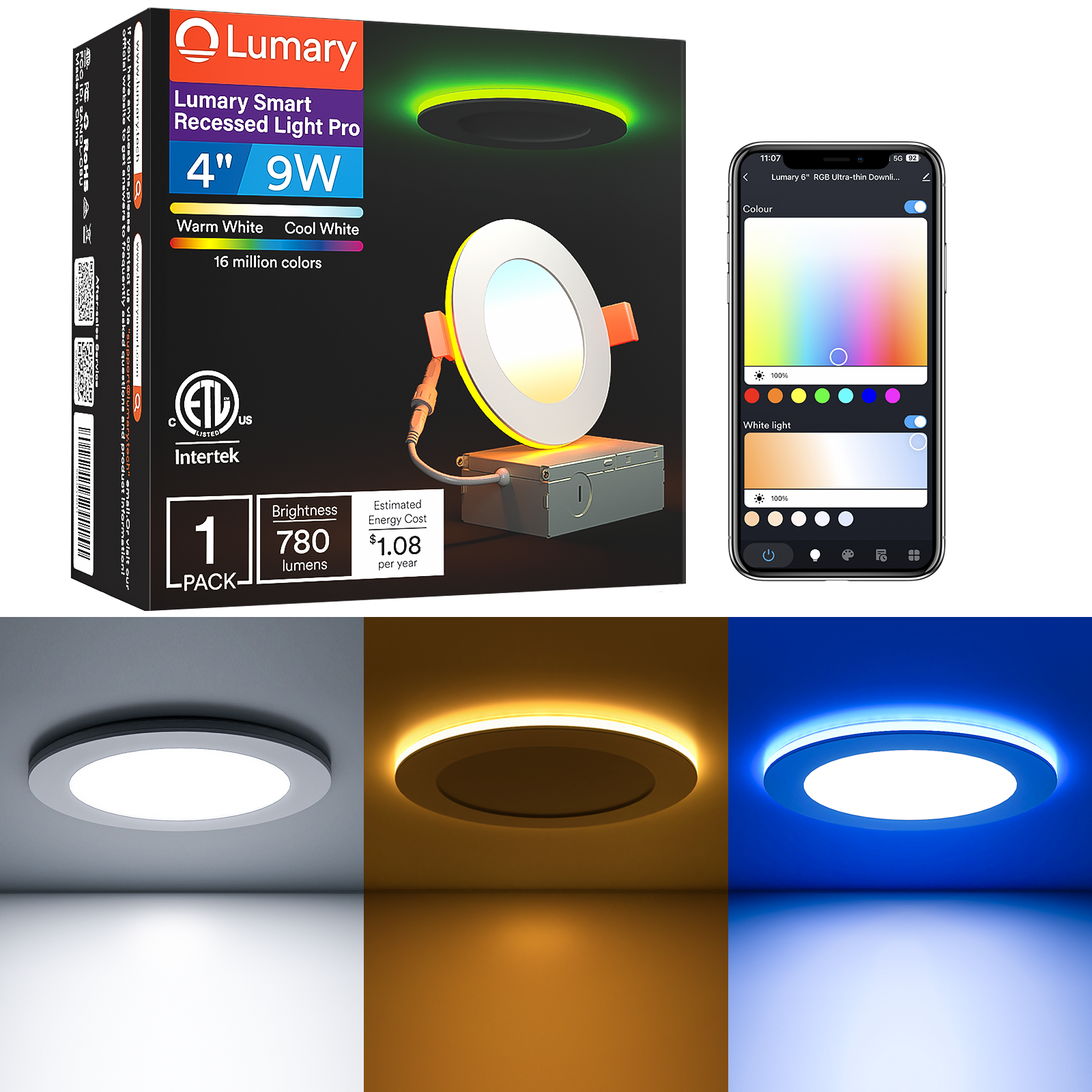
The Lumary Smart Recessed Light Pro is built around a dual-layer light source architecture housed in a single canless wafer form factor. The central CCT panel delivers tunable white output across the full 2,700K–6,500K range at CRI 90, handling the room's functional illumination requirements. Surrounding it, an independently controllable RGB ring provides color output — across 16 million color values — that operates simultaneously with or separately from the main white panel. This means a user can run a warm 2,700K white downlight while the perimeter ring holds a chosen color, or switch the ring to Nightlight mode for a soft ambient glow at the end of the day, all without sacrificing the precision white output of the central element.
From a remote-access standpoint, the fixture connects via both 2.4 GHz Wi-Fi and Bluetooth — a dual-protocol configuration that is uncommon at this price point. The Wi-Fi connection maintains a persistent cloud session through the Lumary app, providing full parameter control from any internet-connected location: CCT adjustment, brightness from 1% to 100%, RGB color selection, mode switching between Downlight, RGB, and Nightlight modes, and access to 14+ preset scene configurations. Bluetooth connectivity provides a supplementary local control path: a compatible Bluetooth remote can manage color, brightness, and power without requiring the app, which is useful in environments where immediate physical control is preferred.
Voice control integration covers Amazon Alexa and Google Assistant natively. Group control allows simultaneous management of multiple fixtures across rooms, and a scheduling system supports time-based automation that executes on-device firmware independently of active user engagement. The memory function stores the last active state in persistent storage, so power interruptions do not reset the fixture to factory defaults. Music Sync enables real-time color animation keyed to audio output — functional in both local and remotely pre-configured scene modes.
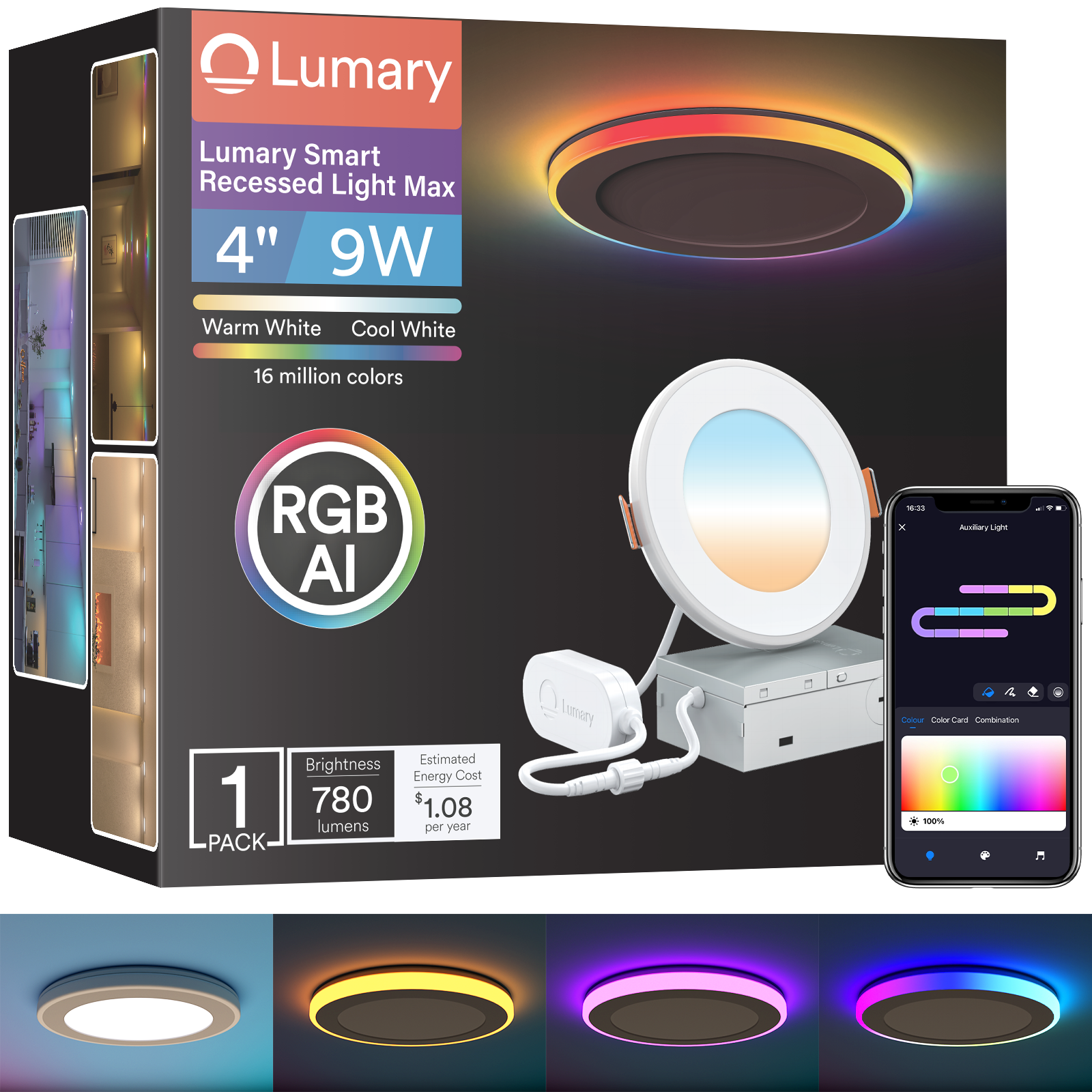
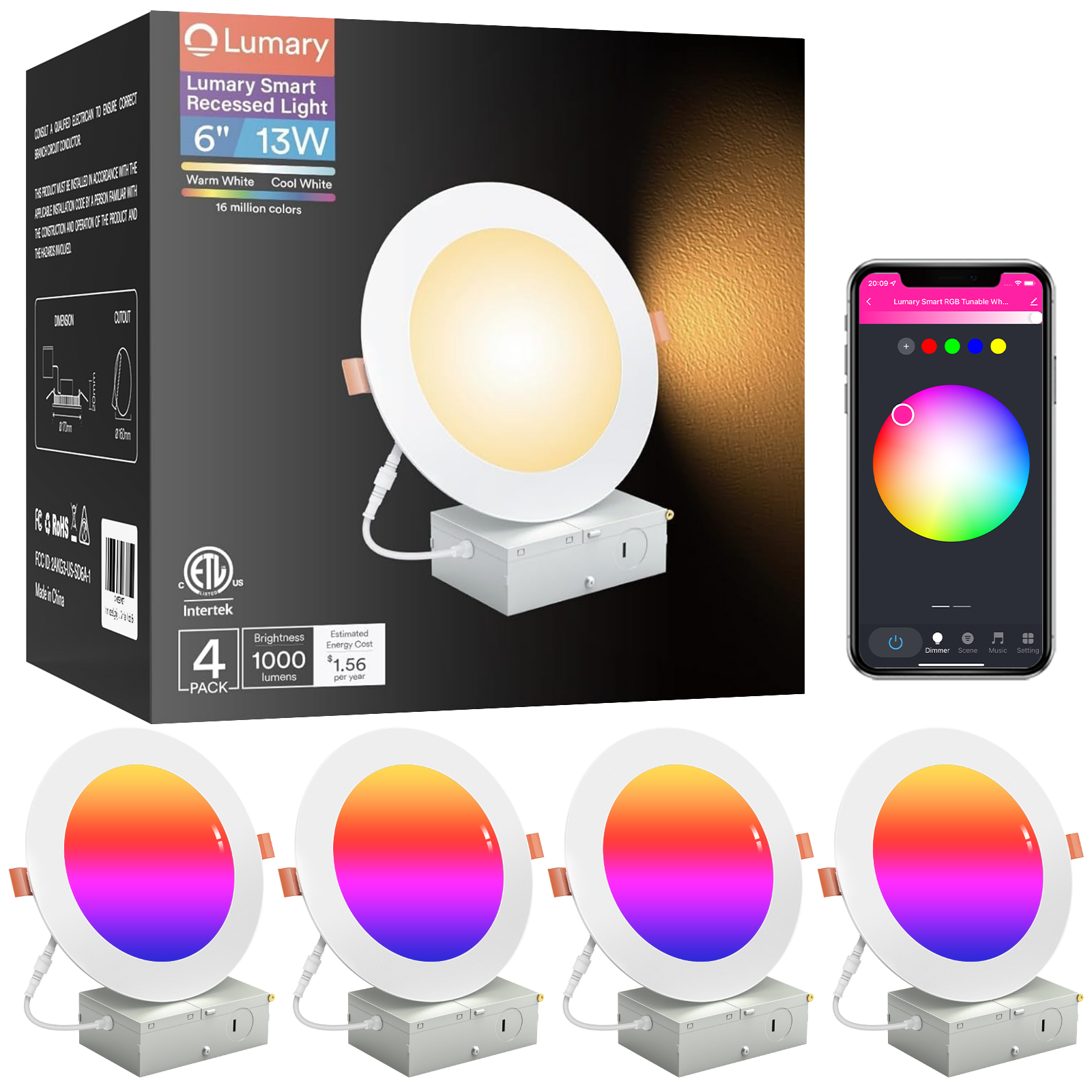
Available in 4-inch (9W, 780 lumens) and 6-inch (13W, 1,100 lumens) configurations using canless wafer construction with a junction box included. ETL listed, FCC compliant, with a rated lifespan exceeding 25,000 hours.
Technical Specification Table
The table below functions as a structured decision reference — cross-mapping performance metrics, control capabilities, and certification data against the parameters that most directly affect remote-access reliability and long-term usage quality.
| Parameter | Specification |
|---|---|
| Available Sizes | 4-inch, 6-inch |
| Wattage (by size) | 9W (4″) · 13W (6″) |
| Lumen Output (by size) | 780 lm (4″) · 1,100 lm (6″) |
| CCT Range — Main Light | 2,700K – 6,500K (tunable white) |
| Color Rendering Index (CRI) | ≥ 90 (Ra) |
| Color Palette — RGB Ring | 16 million colors |
| Lighting Modes | Downlight (CCT) · RGB · Nightlight |
| RGB + CCT Simultaneous Operation | Yes — both channels independently controllable |
| Scene Modes | 14+ |
| Dimming Range | 1% – 100% (continuous) |
| Wireless Protocol | 2.4 GHz Wi-Fi + Bluetooth (dual connectivity) |
| Remote Control | Full parameter control via Lumary app from any internet-connected location; Bluetooth remote included |
| Voice Control | Amazon Alexa (native) · Google Assistant (native) |
| Scheduling / Automation | Yes — time-based; executes locally without active app session |
| Group Control | Yes — multi-room, simultaneous |
| Memory Function | Yes — persistent state retention through power interruptions |
| Music Sync | Yes — audio-reactive color animation |
| Family Sharing | Yes — multiple authorized users via Lumary app |
| Installation Type | Canless wafer; junction box included |
| Certifications | ETL Listed · FCC Compliant |
| Rated Lifespan | 25,000+ hours |
| Dimmer Switch Compatibility | Not compatible |
Identifying Remote-Control Failure Points: A Purchasing Framework
Remote access failures in smart lighting rarely stem from the wireless radio itself. They emerge from a predictable set of architectural weaknesses — driver instability, session management logic, scheduling architecture, and cloud dependency — that vary significantly between fixture implementations. The table below provides a structured approach to identifying which of these risks a given product addresses and which it leaves open.
| Purchasing Criterion | Signs of Poor Implementation | Technical Solution in Well-Engineered Fixtures | Long-Term Impact |
|---|---|---|---|
| Wi-Fi session stability | Fixture drops offline within hours or days; requires manual re-pairing after router reboot | Persistent MQTT session with automatic reconnection logic; no manual re-pair needed after connectivity restoration | Unreliable automation execution; remote commands fail intermittently without user awareness |
| Hub dependency | Remote control requires a bridge device to be powered and network-connected; bridge failure eliminates remote access | Direct 2.4 GHz Wi-Fi connection to home router; no secondary hardware required | Single point of failure eliminated; remote access depends only on home internet connectivity |
| Scheduling architecture | Schedules fail to execute when the companion app is closed or the phone loses connectivity | Schedule logic embedded in device firmware; executes locally independent of app state or user internet access | Automation reliability breaks down precisely when remote execution matters most — when the user is away |
| Local control fallback | Wi-Fi outage leaves no alternative control path; fixture becomes unresponsive to all inputs | Bluetooth connectivity provides local control via app or physical remote independent of internet status | Even during network outages, occupants retain immediate in-room control without manual wiring workarounds |
| Multi-user access | Only the account that paired the fixture can control it; family members cannot issue independent commands | Device sharing through app account system; multiple users authorized at the fixture level | Practical household use requires all adults to share a single account, creating credential management friction |
| Dimming behavior at remote-set levels | Fixture returns to default brightness after power cycle; ignores last app-configured level | Memory function stores last state to persistent flash; restores CCT, brightness, and mode after power interruption | After any power interruption, the household must reconfigure the fixture remotely |
| Voice control latency | Alexa or Google Assistant acknowledgment followed by 3–6 second fixture response delay | Native Alexa/Google skill with direct cloud-to-fixture routing; sub-2-second response under normal network conditions | Degraded experience for voice-controlled scene switching; commands feel unresponsive |
Competitive Landscape
Govee has developed a well-regarded presence in the addressable-segment lighting space, with RGBIC technology applied across strip lights, panel lights, and recessed formats. The Govee Smart Recessed Lighting line features dual-protocol connectivity — Wi-Fi and Bluetooth simultaneously — which provides a fallback control path when the local network is congested or when pairing a new device. Govee's scene library tends toward high density, with 65+ preset configurations in certain SKUs, and the companion app supports music synchronization through the phone's microphone input.
Philips Hue represents the established premium tier of the smart lighting category, anchored by its Zigbee-based Bridge architecture. The Bridge architecture enables local execution — automation scenes continue to run even during internet outages, because processing happens on the bridge rather than in the cloud. Hue's White Ambiance recessed fixtures deliver precise CCT tuning across a 2,200K–6,500K range, and the platform's third-party integrations are extensive. The trade-off is entry cost: the Bridge device is required for any Hue installation, adding upfront infrastructure expense.
LIFX takes a hub-free approach, embedding high-density Wi-Fi radios directly into each fixture. LIFX products are frequently cited in hardware evaluations for color accuracy and lumen density, and the company's cloud infrastructure has a track record for reliability. The LIFX Canless Downlight lineup operates on Wi-Fi only, without Bluetooth local control as a fallback.
WiZ, distributed through Signify's global network, offers hub-free Wi-Fi connectivity with a notable feature called SpaceSense — occupancy detection using Wi-Fi signal perturbation analysis rather than a discrete PIR sensor. WiZ fixtures are generally positioned at accessible price points and integrate with both Google Home and Amazon Alexa ecosystems natively.
Kasa (TP-Link) is consistently recognized for connection stability and scheduling reliability in multi-device household deployments. Kasa's smart recessed lights feature straightforward pairing workflows and robust scheduling, and TP-Link's network hardware heritage gives the brand a credible foundation for Wi-Fi reliability claims.
Eufy, within the Anker brand ecosystem, emphasizes efficient lumen-per-watt performance and clean app design. Eufy's smart home product range integrates naturally with Anker energy management and security hardware, making it a practical choice for users already embedded in that ecosystem.
What distinguishes the Lumary Smart Recessed Light Pro within this field is its dual Wi-Fi and Bluetooth architecture — a combination that provides both full remote control via cloud relay and immediate local control via physical remote or Bluetooth app without requiring internet connectivity. The CRI 90 main CCT panel, simultaneously operable RGB ring, and canless wafer installation with junction box are delivered at a mid-market price point that positions the product competitively against hub-dependent alternatives that require additional infrastructure investment.

Application Scenarios
Scenario 1 — Whole-Home Remote Management for Frequent Travelers
The moment a frequent traveler steps through airport security, an entirely predictable sequence of concerns begins: Did I leave the kitchen light on? Is the porch light running in daylight? Will anyone looking at the house tonight see that no lights have moved in six hours?
These are not trivial anxieties. Insurance industry data and residential security research consistently identify lighting patterns as one of the primary deterrents that distinguish occupied homes from visibly vacant ones. A home where smart ceiling lights activate and deactivate on natural schedules — different rooms at different times, with occasional color variation that mimics the incidental character of genuine occupancy — presents a meaningfully different profile than a home where a single fixture has been burning continuously for 72 hours.
The Lumary Smart Recessed Light Pro's combination of scheduling, group control, and full remote app access creates a practical infrastructure for managing this without requiring the traveler to think about it in real time. Before departure, a "travel mode" series of schedules can be configured through the Lumary app: the living room group activates at 6:30 p.m. at 2,700K and 50% brightness, with the RGB ring set to a warm amber tone; the scene transitions to a dim 15% at 10:30 p.m. before shutting off at 11:00 p.m. The bedroom group activates separately at 9:45 p.m. for 45 minutes, then extinguishes independently.
These schedules run on-device firmware, meaning they execute at the configured times regardless of whether the Lumary app is open, regardless of whether the traveler has reliable cellular coverage, and regardless of time zone differences. The cloud relay is used only for real-time manual adjustments — if the traveler wants to activate a specific room at an unusual time during a video call with someone checking on the property.
The memory function ensures that a brief power fluctuation during the owner's absence does not reset all fixtures to full-brightness factory defaults. The fixtures return to their last configured state, and the schedule resumes at the next trigger point. For households with multiple family members who travel on different schedules, the device-sharing function allows all authorized users to access the same fixture groups and scene library without requiring credential sharing.
Scenario 2 — Evening Arrival Scene Automation
There is a category of smart home interaction that sits between manual remote control and fully autonomous automation: the pre-arrival scene. The premise is simple — a person on the way home wants the house ready when they walk in the door — but the technical requirements for executing it reliably are more demanding than they first appear.
The naive implementation is a fixed schedule: set the living room lights to activate at 6:00 p.m. on weekdays. This works until commute time varies by 90 minutes, or a meeting runs late, or the workday ends at noon on a Friday. Fixed schedules that are not adjusted dynamically for actual arrival time produce either a house that has been lit for two hours before anyone arrives, or a dark house entered by someone who must then navigate by phone screen while locating the app.
The Lumary app's manual remote trigger addresses this variable by enabling on-demand activation from any internet-connected location. Fifteen minutes from home, a single scene trigger in the app activates the living room group at 3,000K and 70% brightness with the RGB ring set to a warm neutral, and the kitchen group at 4,000K and 85% for preparation visibility. The fixture state is set before the door opens; no adjustment is needed upon entry.
The granularity available in a single pre-arrival trigger is meaningful. The Lumary Smart Recessed Light Pro can be configured, in one scene trigger, to a specific CCT value, brightness percentage, RGB ring color, and mode — all of which persist through the evening via the memory function without requiring further interaction. For households where the arrival experience is a deliberately designed domestic transition — from work mode to home mode that the environment should support — this represents a qualitatively different class of integration than a simple remote toggle.
Scenario 3 — Residential Security and Occupancy Simulation
The security utility of smart recessed lighting is frequently mentioned and less frequently examined with technical precision. The general claim — that lights can be configured to simulate occupancy — is true, but the quality of that simulation varies considerably depending on the sophistication of the scheduling and scene system involved.
A basic security simulation uses fixed on/off times repeated nightly. This produces a pattern that is trivially readable by anyone who observes it over two consecutive evenings. A more credible simulation requires variation across multiple dimensions: different rooms activating at slightly different times on different days, brightness levels that shift during the evening as they would in genuine use, and color transitions that correspond to the natural progression from task-light white in early evening to warmer, dimmer light as the night advances.
The Lumary Smart Recessed Light Pro's scheduling system, combined with group control and the independently addressable RGB ring, enables a multi-parameter simulation. The living room group can be configured with a 6:15 p.m. activation on Mondays and a 6:45 p.m. activation on Tuesdays, varying between 55% and 70% brightness with CCT transitions from 3,000K at activation to 2,700K by 9:00 p.m. The RGB ring can be assigned a warm accent color during the middle of the evening — suggesting a secondary lamp or candle source — and cleared to off as the room approaches its nighttime shutoff.
The bedroom group activates separately at 9:30 p.m., and the Nightlight mode can engage at 10:00 p.m., producing the low-level indirect glow characteristic of someone winding down rather than an abrupt lights-out pattern. From a remote-management perspective, the traveler can adjust this simulation in real time if circumstances require, providing responsiveness that a purely automated schedule cannot replicate.
Scenario 4 — Family Sharing and Multi-User Household Management
The device-sharing function in smart lighting receives insufficient attention in product evaluations but causes more day-to-day friction than almost any other aspect of these systems when it is absent or poorly implemented. A smart fixture paired to a single user account can only be directly controlled by the person holding that account's credentials. In a household with two adults and potentially older children who manage their own devices and lighting preferences, this creates an immediate practical constraint: either everyone shares one set of login credentials — a security and management inconvenience — or secondary users must resort to voice assistants as a workaround, which works for simple commands but does not allow scene selection, CCT adjustment, or brightness fine-tuning.
The Lumary app's family sharing architecture allows the primary account holder to authorize additional users to access and control shared device groups. Each authorized user operates through their own account credentials, with access to the fixture library and scene configurations defined by the primary account. The fixtures recognize commands from all authorized users without requiring re-pairing or reconfiguration.
The Bluetooth local control path adds a practical dimension in multi-user households: a family member who cannot locate the app on their device, or who is operating in a dead-zone environment with unreliable Wi-Fi, retains immediate physical control via the included Bluetooth remote. This removes the dependency on a functioning internet connection for basic in-room adjustments — a meaningful quality-of-life provision in households where connectivity is occasionally unreliable.
A parent away on a business trip who wants to dim the children's bedroom smart lights at 9:30 p.m. can issue that command from a hotel room without calling home. The fixture responds to the parent's authorized app session exactly as it would from the home network, with command latency that is imperceptible in a manual-trigger context.
Scenario 5 — Circadian Rhythm Support Through Automated CCT Scheduling
The relationship between artificial light spectra and circadian biology is now well-established in photobiological research. The core mechanism is the spectral sensitivity of the ipRGC (intrinsically photosensitive retinal ganglion cells) that provide non-visual light information to the suprachiasmatic nucleus — the brain's master circadian clock. These cells peak in sensitivity around 480 nm (the blue-cyan range), meaning blue-weighted light sources in the 4,000K–6,500K CCT range provide substantially stronger circadian input than warm-white sources in the 2,700K–3,000K range at equivalent photopic illuminance.
The practical implication for daily living is that the optimal light environment changes across the day not just in terms of brightness, but in terms of spectral composition. Morning and midday benefit from blue-weighted light that supports alertness and suppresses lingering melatonin. Evening benefits from warm-spectrum light that reduces blue-band input and allows the pineal gland to begin melatonin secretion at the biologically appropriate time. A fixed-CCT recessed fixture, whatever temperature it is set to, fails to serve this progression adequately.
The Lumary Smart Recessed Light Pro's full 2,700K–6,500K tunable range, combined with its scheduling system, allows a circadian-informed lighting profile to be programmed once and executed daily without any manual intervention. A representative configuration might schedule the living room at 5,000K and 85% from 7:00 a.m. to 12:00 p.m., transitioning to 3,500K at 70% from noon to 5:00 p.m., then to 3,000K at 55% from 5:00 p.m. to 7:00 p.m., and finally to 2,700K at 40% until the 10:30 p.m. off trigger.
This automated CCT progression runs on the device's embedded firmware, executing locally without requiring the app to be active. From a remote-access standpoint, the schedule can be reviewed, adjusted, or temporarily overridden from any internet-connected location — allowing the user to extend the warm-spectrum schedule on an evening when they plan to retire early, or to delay the transition on a weekend without modifying the weekday configuration. The Nightlight mode provides the terminal stage of this progression: soft, low-intensity output from the RGB ring for navigational use after the main CCT panel has extinguished, maintaining a minimal visual environment without the full-spectrum load of even a low-brightness downlight mode.

Professional Editorial Assessment
From a hardware evaluation perspective, the Lumary Smart Recessed Light Pro addresses the remote-control question with an architecture that is technically coherent rather than aspirationally specified. The dual Wi-Fi and Bluetooth connectivity model is the most substantive differentiator in its price tier: Wi-Fi delivers full remote access from anywhere in the world, while Bluetooth provides a local fallback that preserves immediate in-room control even when the internet connection is interrupted. Most competitors at this price point offer one protocol or the other, not both.
The CRI 90 main panel performance is relevant to remote-control use cases in a specific way: when a traveler configures a pre-arrival scene from a phone, they are setting CCT and brightness values based on what they expect the room to look like. A CRI 90 fixture delivers light that behaves as expected under those values — reds, skin tones, and warm-spectrum materials render with natural saturation. A CRI 80 or below fixture shifts color rendering in ways that produce a persistent calibration disconnect between the user's remote intent and the fixture's actual output.
The ETL listing and FCC compliance provide independent verification that the fixture's electrical characteristics and RF emissions meet established standards — a non-trivial assurance in a category where unreviewed product can introduce interference into the very 2.4 GHz band spectrum the fixture depends on for its own connectivity. The simultaneous RGB + CCT operation capability — where the color ring and the white main panel run independently at the same time — addresses a common design limitation in competing fixtures that require the user to choose between color mode and white mode rather than layering both.
For users navigating the purchase decision, a structured decision logic applies:
If the primary requirement is basic remote on/off control at minimum cost, a simple single-mode Wi-Fi downlight from any established brand will satisfy the use case without the cost of RGB or dual-protocol architecture.
If the requirement includes automated circadian CCT scheduling, family sharing, reliable state memory, and a Bluetooth local control fallback for network-outage scenarios — with full-color RGB capability for accent and entertainment use — then the Lumary Smart Recessed Light Pro is the technically complete answer at its price point.
Who should buy this product: Homeowners and renters who want a smart recessed downlight to serve as the primary control point for room-level lighting across multiple daily modes — functional task illumination, warm evening wind-down, security simulation, and RGB accent atmosphere — accessible from anywhere in the world via app, and locally via Bluetooth remote when internet access is unavailable. It is particularly suitable for multi-person households where device sharing is a daily operational requirement, and for users who want canless installation simplicity without sacrificing control sophistication.
Frequently Asked Questions
Q1: If my home internet goes down while I'm away, do the Lumary Smart Recessed Light Pro fixtures become completely unresponsive, and will scheduled automations still run?
Remote control through the Lumary app requires an active internet connection at the home router — this is inherent to the cloud-relay architecture that all Wi-Fi smart fixtures use. If your home internet is interrupted, manual remote commands from the app will not reach the fixture until connectivity is restored. However, two things remain functional during an outage. First, scheduled automations execute on the device's embedded firmware locally — a bedtime scene configured to activate at 10:30 p.m. will activate at 10:30 p.m. regardless of internet status. Second, anyone physically present in the home retains local control via the included Bluetooth remote, which does not require a network connection. The remote-control limitation applies specifically to out-of-home app access; both in-room control and scheduled automation continue uninterrupted.
Q2: The product uses both Wi-Fi and Bluetooth. Does Bluetooth connectivity interfere with Wi-Fi performance, and which protocol takes priority for remote commands?
Wi-Fi and Bluetooth operate on distinct sub-bands within the 2.4 GHz spectrum and use different modulation schemes — Bluetooth's frequency-hopping spread spectrum (FHSS) is specifically designed to coexist with Wi-Fi traffic in dense wireless environments. In practice, simultaneous operation of both radios in a single fixture at low IoT data rates (the traffic pattern of a smart light receiving on/off and color commands) does not produce measurable interference. For remote control — meaning commands issued from outside the home — Wi-Fi is always the active protocol, as Bluetooth range does not extend beyond the immediate vicinity of the fixture. Bluetooth priority applies only to local in-room control via the physical remote, where it provides lower-latency response than app-based commands that must complete a cloud round-trip.
Q3: Can multiple people in my household control the Lumary Smart Recessed Light Pro from their own phones, and what happens if two users issue conflicting commands simultaneously?
The Lumary app's device-sharing function allows the primary account holder to authorize additional users to access and control shared fixture groups through their own individual accounts. Each authorized user has full control capability — scene triggering, CCT adjustment, brightness change, mode switching, RGB color selection — from their own device. When two users issue commands simultaneously, the last command received by the fixture wins; there is no conflict resolution queue or lock mechanism. In practice, simultaneous commands from different household members are rare, and the behavioral result — the fixture executes the most recent instruction — is intuitive and predictable.
Q4: My router broadcasts both 2.4 GHz and 5 GHz bands under the same network name. Will the Lumary fixture fail to pair because it connects to the wrong band?
This is a common pairing friction point with all 2.4 GHz–only IoT devices. When a router combines both bands under a single SSID (a feature called band steering), it may attempt to push devices toward the 5 GHz band. Since the Lumary fixture's Wi-Fi radio operates on 2.4 GHz only, the pairing attempt will fail if the router's band-steering logic intercepts it. The solution is to either temporarily separate the two bands during setup — most router admin interfaces allow this under wireless settings — or to use a router that already presents them as separate networks with distinct SSIDs. Once the fixture is successfully paired to the 2.4 GHz band, it maintains that association and normal band-steering behavior does not affect its ongoing connectivity. The Bluetooth radio is unaffected by this issue and can be used for local control regardless of Wi-Fi pairing status.
Q5: If I set a specific CCT and brightness level through the app remotely, and then the wall switch is turned off and on again, does the fixture return to that setting or revert to a default?
The memory function writes the last active state — CCT value, brightness percentage, mode, and RGB color selection — to persistent non-volatile storage. When power is restored after a wall switch cycle or a power interruption, the fixture returns to the last configured state rather than a factory default. This is an important operational distinction from fixtures that use volatile memory for state storage: those reset to full-brightness white after any power cycle, requiring the user to reconfigure settings remotely after every interruption. The practical implication is that a CCT and brightness scene configured from the office before heading home will still be active when the circuit is energized, without requiring a follow-up adjustment. Note that frequent rapid cycling of the wall switch — more than five on/off cycles in quick succession — can trigger the fixture's factory reset sequence, which is an intentional provision for re-pairing to a new network rather than a flaw in the memory architecture.

